
WhatsApp for Business: The Performance Marketer's Guide to Messaging That Converts in 2026
With 98% open rates and 2 billion users, WhatsApp is the most underutilized channel in performance marketing. Learn how to build campaigns that...

Key Takeaways
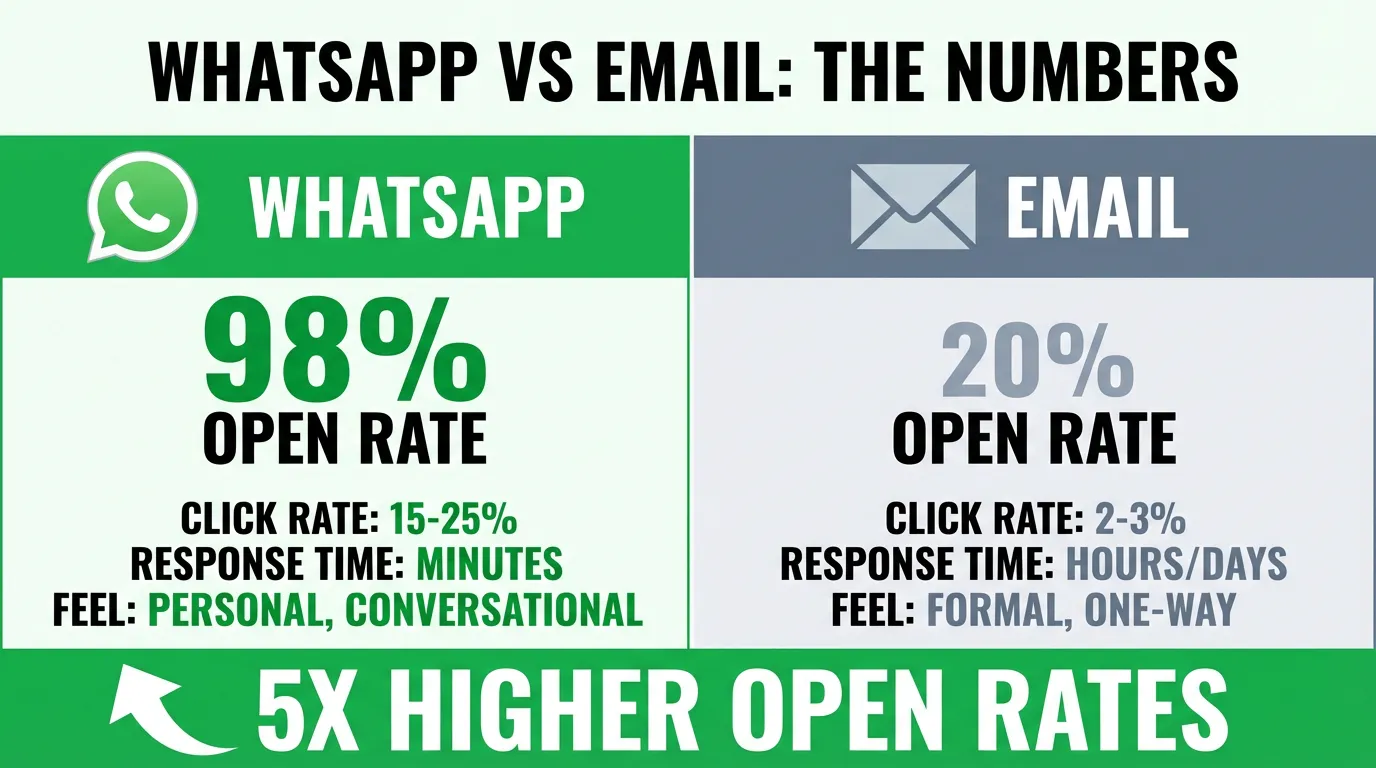
- 1**98% open rates** vs 20% for email — 5x higher engagement
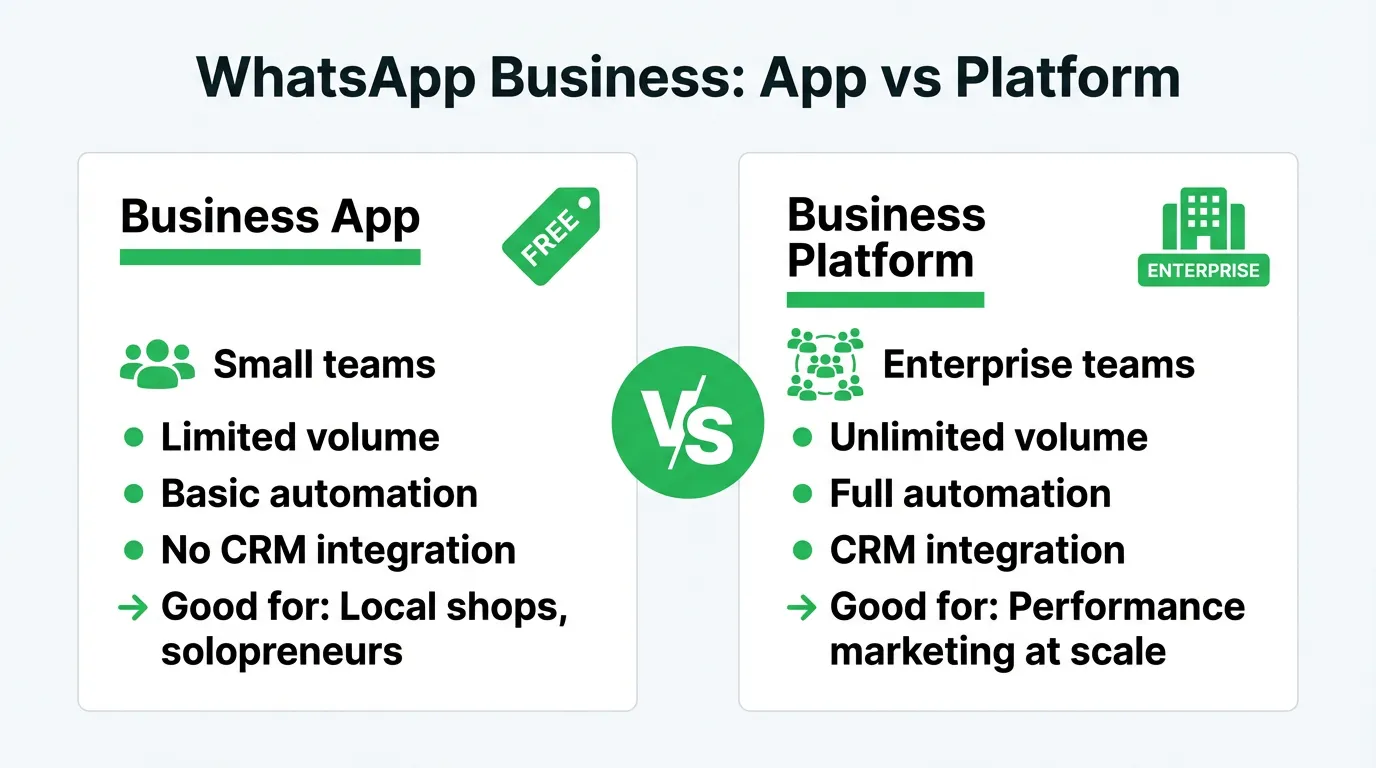
- 2**Two platforms:** Business App (free, small teams) vs Business Platform/API (enterprise, scalable)
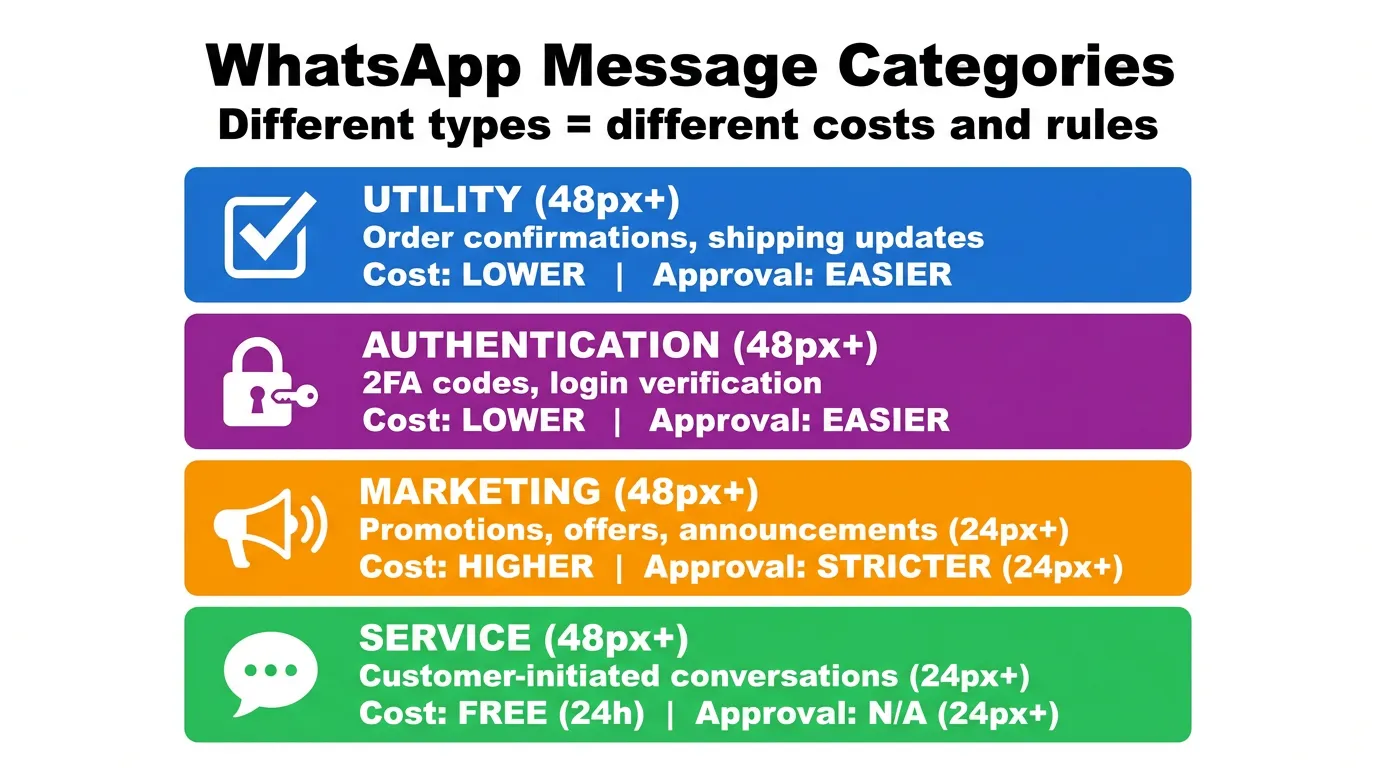
- 3**Message categories:** Utility & Authentication (cheap), Marketing (expensive), Service (free 24h)
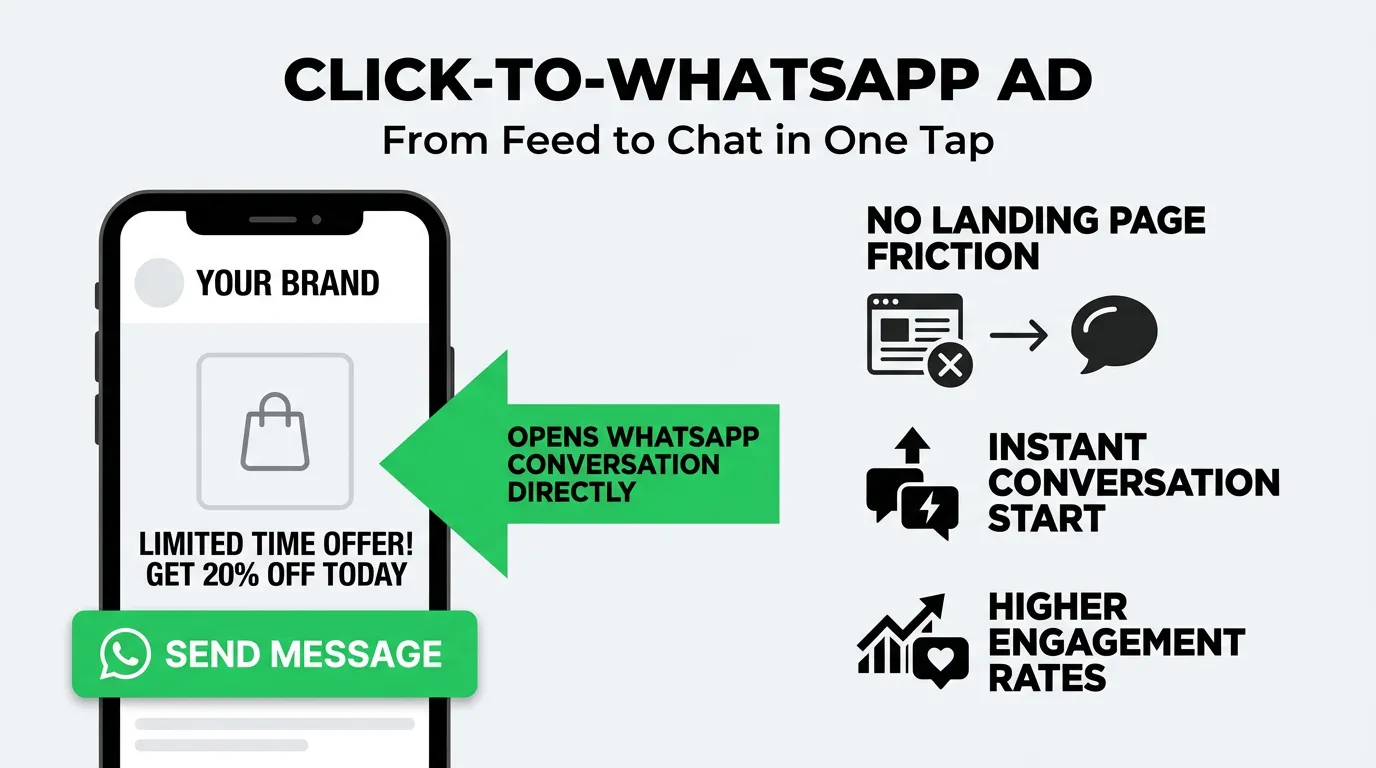
- 4**Click-to-WhatsApp ads:** Skip landing pages, open direct conversation from Facebook/Instagram feed
Why WhatsApp Deserves Your Attention
I'll admit — I was skeptical about WhatsApp marketing when it first emerged. Another channel to manage? More complexity? But after seeing the results firsthand, I'm convinced it's one of the most powerful tools in a performance marketer's arsenal.
Here's what changed my mind: a Clarins campaign achieved 90% open rates and 7x higher conversions compared to email. That's not a typo. Seven times.
WhatsApp Business App vs. Business Platform
Before diving into strategy, you need to understand the two distinct products Meta offers:
If you're serious about WhatsApp as a marketing channel, you need the Business Platform. The App is fine for customer service, but it won't scale.
Understanding Message Categories
Meta categorizes WhatsApp Business messages into types that affect pricing and approval requirements:
| Category | Use Case | Typical Cost | Approval |
|---|---|---|---|
| Utility | Order confirmations, shipping updates | Lower | Easier |
| Authentication | 2FA codes, login verification | Lower | Easier |
| Marketing | Promotions, offers, announcements | Higher | Stricter |
| Service | Customer-initiated conversations | Free (24h window) | N/A |
Click-to-WhatsApp Ads: The Performance Play
This is where WhatsApp becomes a performance channel. Click-to-WhatsApp ads appear on Facebook and Instagram, but instead of sending users to a landing page, they open a WhatsApp conversation.
The magic happens when you replace the friction of a landing page with the familiarity of a chat interface.
Why They Work
Lower friction: No forms to fill, no pages to load. User clicks, chat opens, conversation starts. Higher intent signals: Someone who opens WhatsApp is more engaged than someone who clicks a link. Real-time qualification: Your team (or bot) can qualify leads instantly through conversation. Trust factor: WhatsApp feels personal. People are more comfortable sharing information in chat than on forms.Setting Up Click-to-WhatsApp Campaigns
Building Effective WhatsApp Flows
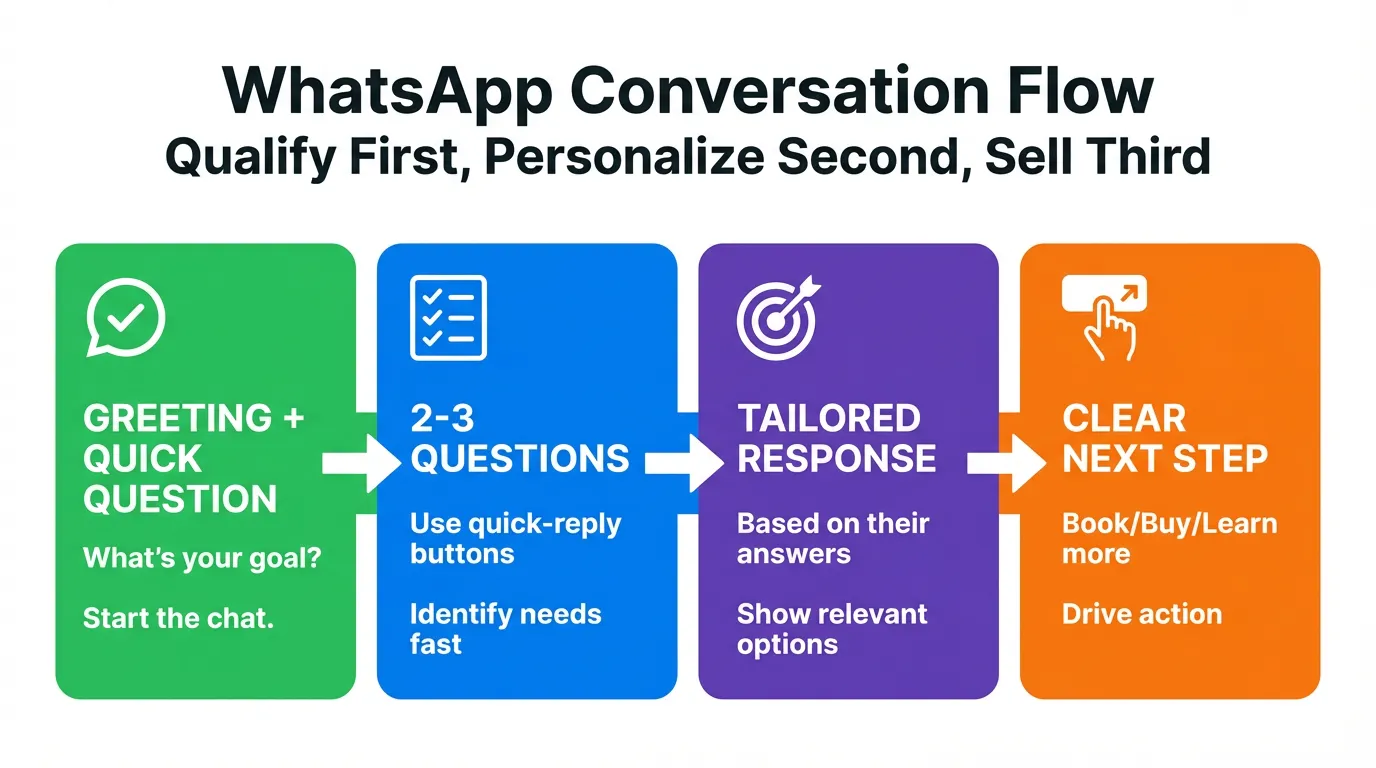
The conversation flow is everything. Here's my framework:
Stage 1: Welcome & Qualification
Example welcome message: Hi! Thanks for reaching out about [Product]. Quick question — what's your main goal? [ ] Save money on [category] [ ] Upgrade from current solution [ ] Just exploring optionsStage 2: Needs Assessment
Based on their selection, ask 2-3 qualifying questions. Keep them as quick-reply buttons when possible.
Stage 3: Personalized Response
Deliver value based on their answers. This could be:
- A personalized product recommendation
- A relevant case study
- A custom quote
- An appointment booking link
Stage 4: Clear CTA
Make the next step obvious and easy.
Measuring WhatsApp Performance
Traditional ROAS doesn't capture WhatsApp's full value. Track these metrics:
Conversation Metrics:- Response rate (% of ads that start conversations)
- Qualification rate (% of conversations that become qualified leads)
- Conversation-to-conversion rate
- Cost per conversation started
- Cost per qualified lead
- Average resolution time
- Customer satisfaction scores
- Repeat conversation rate
- Referral rate
Compliance: Don't Get Banned
Meta takes WhatsApp spam very seriously. Here's how to stay compliant:
Required: Explicit Opt-In
You cannot message someone on WhatsApp unless they've explicitly consented. This means:
- Clear opt-in checkbox (not pre-checked)
- Explanation of what messages they'll receive
- Easy opt-out mechanism
Template Approval
All outbound marketing messages must use pre-approved templates. Submit them early — approval can take 24-48 hours.
Regional Regulations
- GDPR (Europe): Strict consent requirements, data storage rules
- CCPA (California): Consumer rights to data access/deletion
- LGPD (Brazil): Similar to GDPR
Real Results: What to Expect
Based on campaigns I've managed and industry benchmarks:
- Open rates: 95-98% (vs. 20-25% email)
- Click-through rates: 15-25% (vs. 2-3% email)
- Conversion improvement: 3-7x compared to landing pages
- Cost per lead: Often 40-60% lower than form-based campaigns
These numbers vary by industry, but the pattern is consistent: WhatsApp outperforms traditional channels for engagement.
The Bottom Line
WhatsApp isn't just another messaging app — it's a high-intent performance channel hiding in plain sight.
The brands winning in 2026 aren't just running ads — they're building conversations. WhatsApp lets you do that at scale.
- 98% open rates vs 20% for email — 5x higher engagement
- Two platforms: Business App (free, small teams) vs Business Platform/API (enterprise, scalable)
- Message categories: Utility & Authentication (cheap), Marketing (expensive), Service (free 24h)
- Click-to-WhatsApp ads: Skip landing pages, open direct conversation from Facebook/Instagram feed
- Conversation flow: Welcome → Qualify → Personalize → CTA (don't sell too fast)
- Key metrics: Conversation rate, qualification rate, cost per qualified lead
- Compliance: Explicit opt-in required, template approval for marketing messages, avoid spam reports
Ready to add WhatsApp to your channel mix? AdBid's unified dashboard tracks WhatsApp conversations alongside your Meta and Google campaigns. Try AdBid free for 14 days.
Ready to optimize your ad campaigns?
Try AdBid free for 14 days. No credit card required. See how AI-powered optimization can transform your advertising.
Related Articles
Understanding Meta Advantage+ Sales Campaigns: 2025 Guide

Meta Advertising Policies in 2025: What You Need to Know
Advanced Retargeting Strategies That Actually Work in 2025
Meta Opportunity Score: What It Means & How to Use It
Server-Side Tracking Guide 2026
Facebook Ads Not Converting? 11 Fixes
More in Guides
View all →
The Complete Guide to AI-Powered Ad Optimization in 2025
How to Scale Mobile App Advertising in 2025
The Ultimate Guide to Google Ads Automation Tools
Getting Started with TikTok Ads: A Complete Beginner's Guide
Meta Value Rules: Complete Conversion Guide 2026
